How to organize bakery orders on WhatsApp without losing a single one
By Bakerly Team · Published on June 05, 2026
WhatsApp is where your bakery business happens. It's where the customer asks for the price, sends the photo of the cake she saw online, agrees on a date and closes the order. The problem is that WhatsApp was built for chatting, not for organizing orders. And that's where things start to slip through the cracks.
The customer sent a two-minute voice note with all the details. Somewhere in the middle, she mentioned the date. Three days later, you need that date and have to listen to the whole voice note again. Multiply that by thirty open conversations and you understand why you always feel like you forgot someone.
Why orders get lost on WhatsApp
- Information is scattered: the date is in a voice note, the photo is in another message, the flavor is way up in yesterday's conversation.
- New chats push old ones down: whoever messaged last jumps to the top. Whoever closed a deal yesterday sinks to the bottom of the list.
- You can't see the big picture: you never get a full view of everything you need to produce this week, only what showed up on screen today.
- Outside business hours, it piles up: ten messages arrive while you sleep or while you're at the oven, and in the morning it's a mountain to answer.
The real pain
A customer left hanging rarely comes back, and she'll tell her friends about it too. It's not just a lost sale, it's your reputation. That's why organizing orders isn't a luxury, it's what keeps your business standing.
A simple method that works today
Before any tool, it's worth building a habit. Whenever a customer closes an order, take two minutes and write it down somewhere else, outside the chat. It can be a notebook, a spreadsheet or an app. What matters is that every order always has the same information:
- Who the customer is and her phone number.
- What she wants: product, flavor, filling, size.
- When it's due: the agreed date and time.
- How much it costs and whether she already paid a deposit.
- Where it stands: quote sent, approved, in production, ready.
That last point, the status, is the game changer. When every order has a clear status, you glance at it and know what's left to close, what needs to be produced and what's already out the door. You stop relying on memory.
The limit of the manual method
Writing it down works, but it has a cost: you become your own secretary. Every time a customer sends a message, you stop what you're doing, read it, write it down, reply. And by the end of the day you still have to turn thirty conversations into thirty notes. That transcription step is exactly where things get lost.
How Bakerly helps
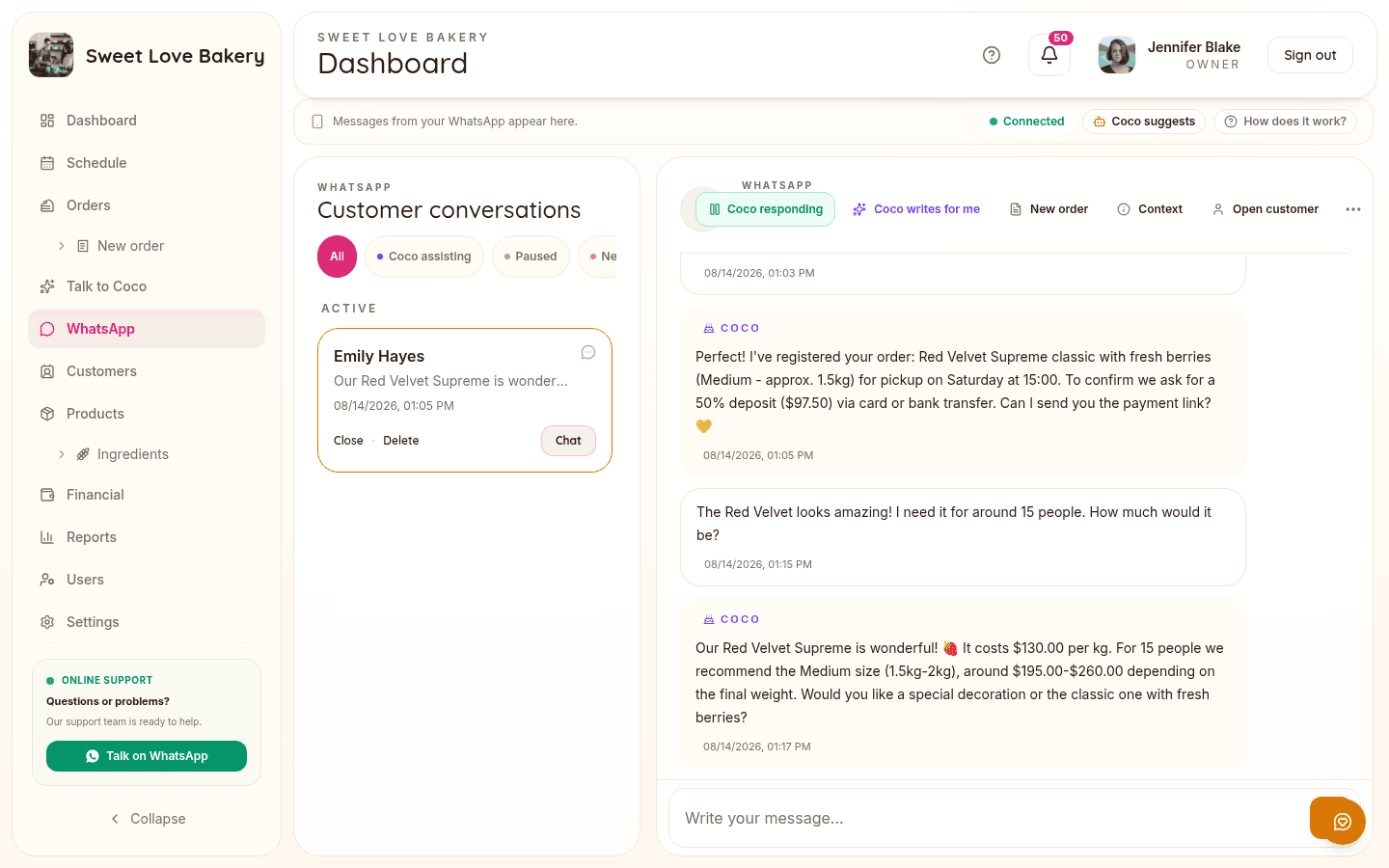
Bakerly solves this from two sides. First, every order lives in one place, with customer, items, price, deadline and status. No more hunting for the date buried in a voice note. You open the schedule and see exactly what you need to produce today, tomorrow and this week.
Second, the WhatsApp reception AIanswers on its own as soon as a message arrives, even outside business hours. It asks what the customer needs, checks your catalog, collects date, flavor, decoration and a reference photo, and already registers the order as a draft in your dashboard for you to just review. For made-to-order products it never locks in the final price, that's still up to you. You take over the conversation whenever you want.
What to take home
- Take the order out of the conversation. Record it in one place, always with the same information.
- Use a status so you know, at a glance, what's left to close and what's left to produce.
- Writing it down by hand works, but it eats up your time and leaves room for mistakes.
- A system that answers and registers orders on its own takes the weight of WhatsApp off your shoulders.
Stop doing math in a notebook
Bakerly organizes your bakery's orders, pricing, schedule, and finances all in one place. Create your account and get started today, starting at $9.99/month, no commitment.
Create my accountWant to check it out first? See how the system works.